
Future Trends in Managed IT Services for 2026

Technology is changing faster than ever and businesses might feel the pressure to keep up. From small startups to large companies, everyone today depends on IT systems to run smoothly. But managing technology in house is not always easy. That’s the only reason why I managed IT services have become so prominent and in 2026 they are not only getting more advanced they are also getting essential. More focus on cybersecurity than before Cyber threats are no longer rare; they are completely constant. In 2026 you might be facing more sophisticated attacks like ransomware and data breaches. Managed IT services providers are stepping up by offering stronger and smarter solutions. Instead of reacting after an attack happens they are focusing on prevention. You will see 24/7 monitoring systems advanced threat detection using AI and regular security audits. Rise of AI and automation Artificial intelligence is not just a buzzword anymore it’s a core part of managed IT services. In 2026 it helps you detect problems before they even happen and fix common issues automatically. For example if your server is down it shows signs of failure AI tools can alert the team or even fix the issue before it affects your business. Automation also saves you a lot of time. Cloud services becoming the standard You are moving to the cloud as a business and this trend continues strongly in 2026. Instead of storing data on local computers or servers you can use cloud platforms to store your files and run applications. Managed IT service providers now offer full cloud support including cloud migration and cloud security. Remote work support is here to stay Even after a global shift to remote work you can choose to keep flexible work models. In 2026 managed IT services are designed to support remote teams and hybrid work environments this includes secure device management and remote troubleshooting. Your employees can work from home or office or while travelling even without compromising security or performance. Data-driven decision making Data is one of the most valuable assets for your business. But having data is not enough. You need to understand it. Managed IT services are now helping you analyze data trends and monitor system performance. With advanced analytics tools you can see what’s working and what’s not for example with systems slow down during peak hours? Or where can security risks increase? The shift towards data-driven insights is helping you grow faster and make better decisions. Better customer experience through it At the end of the day technology is not just about systems anymore it’s about people. Managed IT services today are focusing on improving experience by reducing downtime and offering faster support. If your employees have smooth systems they work better. When your customers have great quick service they stay happy. So managed IT services are no longer just about fixing computers or maintaining servers. They have become a strategic part of business growth. If you are running a business keeping up with these trends is important beautiful Also Read: What are the Benefits of Hiring Managed IT Services Experts? Top Benefits of Managed Cloud Services for Modern Enterprises
Top Benefits of Managed Cloud Services for Modern Enterprises
Managed cloud services aid modern businesses in operating systems in a hassle-free manner. They minimize technical loads and enhance overall efficiency. The current businesses must have scalable and secure technology solutions that are flexible. Infrastructure helmed in-house may be tricky and time-consuming. Managed services always have expert support and performance. These assist firms in their ability to grow as opposed to maintaining their firms. This strategy helps in innovation, cost management, and improved decision-making in organizations in the competitive digital arena today. Improved Cost Efficiency Managed cloud services effectively save the net operational costs. Businesses do not make huge investments in physical infrastructure and upkeep. Certain pricing models lead to the predictability of prices, which leads to easier and more accurate budgeting. Firms only pay for the amount of resources that they consume. This aids in waste reduction and the making of financial plans. The savings from the costs can be reinvested in the growth activities. Increased Security and Compliance Security-managed cloud service providers handle security, which increases overall security. They get sophisticated tools to track the threats and suppressed infiltration. Timely updates prevent systems from new weaknesses. It becomes easier to comply with the industry standards. Companies are able to protect critical information in a better manner. This creates a sense of trust among the customers and stakeholders. Scalability and Flexibility Cloud services enable businesses to scale resources with ease and speed. Flexible capacity can be raised or lowered depending on the demand changes by the companies. Supported by this flexibility, it is able to grow without incurring unnecessary infrastructure expenses. Businesses react more quickly to market needs and opportunities. The scaling with managed services is equally scaled without any technical difficulties. This enhances nimbleness and long-term planning. Expert Support and Maintenance With the help of managed cloud services, one can have access to skilled technical people at any time. These professionals deal with maintenance, observation, and updating the system regularly. Large internal IT teams are not necessary for businesses. The problems are quickly solved, minimizing downtimes and inconveniences. Support will be provided to sustain the performance of systems. This facilitates the teams to concentrate on business. Improved Performance and Reliability Through managed services, one can be assured that there is no manipulation in the running of the systems, and the level of performance is constant. Constant observation aids in the corrective early detection of problems. Proactive management and optimization reduce downtimes. There is a faster performance of applications, which enhances the user experience. Stable infrastructure offers stability to businesses in case of unforeseen circumstances. This results in increased customer satisfaction and productivity. Accelerated Innovation and Development Infrastructure can be less of a priority, and innovation can become a priority for teams. Managed services can help deploy applications and solutions faster. They make more allowances in the testing of new technologies by businesses. Time to market saves time, which provides a competitive edge. This aids in digital transformation and growth. Firms remain on top of the fast-changing markets. Conclusion Managed Cloud services provide a good backbone to contemporary companies. They enhance efficiency, minimise costs, and maximize security. Companies are able to get more flexible and expertly supported. This will enable them to concentrate on innovation and long-term development. The use of managed cloud solutions is beneficial in enabling organizations to remain competitive, resistant, and ready to face new changes in technology in a rapidly changing digital society. Also Read What are the Benefits of Hiring Managed IT Services Experts? 5 Common Threats Managed by Managed Security Services
What are the Benefits of Hiring Managed IT Services Experts?

Running a Business Today without proper IT support is almost impossible. Whether you are handling customer data, managing software, or ensuring smooth real operations, technology plays a very important role in everything. But managing it on your own can be very stressful and time-consuming. That’s the only reason why businesses today choose managed IT services. What are Managed IT Services? Managed IT services’ main outsourcing requirement is a team of experts. Instead of hiring a full in-house IT department, you work with a company that takes care of your technology. They handle things like: Network management Data security Software updates Technical support System monitoring Improves Productivity When your systems work properly, your team works better. With managed IT services: Fewer technical issues Faster systems Less downtime Access to Skilled experts Technology keeps changing, and it’s challenging for you to stay updated all the time. Managed IT service providers have teams of experts with diverse skills. This means you can easily access experienced IT experts, and they stay up to date with the latest technology. Instead of relying just on one person, you have an entire team supporting you. Better Data Security Data security is a major concern for every business. Theft rates are increasing, and even small businesses are targeted. Managed IT experts help you protect your data from cyber attacks and set up firewalls and security systems. They also help with backups, keeping your data safe and well-preserved even if something goes wrong. 24/7 Monitoring Support One of the biggest advantages is round-the-clock support. Managed IT services offer 24/7 monitoring and quick issue response. This means problems can be fixed early before they become quite serious. Improves Productivity When your systems work properly, your team works even better. With managed IT Services, there are fewer technical issues and faster systems. Your employees can just focus on their work instead of dealing with its problems. This improves the overall productivity. Who Should Consider Managed IT Services? Managed IT services are useful for: Small and medium businesses Startups Companies without in-house IT teams Businesses looking to reduce costs Even larger companies use managed IT services to improve efficiency. Common Mistakes to Avoid Before hiring a managed IT service provider, avoid these mistakes: Choosing only based on low cost Not checking experience and reviews Ignoring security capabilities Not understanding the service agreement So, in short, hiring managed IT services experts is not just about fixing technical issues; it’s about improving your entire business operations. From saving costs to improving security and productivity, the benefits are completely clear. In today’s digital world, having the right IT support is no longer optional; it’s very important. If you want your business to run smoothly and grow without interruptions, managed IT services can be a smart and practical choice for you. Employees can just focus on their work instead of dealing with its problems. This improves even your overall productivity. Also Read : 5 Common Threats Managed by Managed Security Services
5 Common Threats Managed by Managed Security Services
Corporations are increasingly adopting electronic systems for their day-to-day activities. Hackers are always looking for vulnerabilities in networks and devices. Sensitive information, financial data, and customer records are very risky. Proper security is needed. Organisations nowadays invest in professional cybersecurity services to monitor, prevent, and respond effectively to threats. Advanced tools, continuous monitoring, and professional guidance comprise these services to ensure high levels of security. Hem Solutions is a reliable partner that assists organisations in staying safe against emerging cyber threats. Take a look at the top 5 cybersecurity threats: Threat 1 : Phishing Attacks Phishing frauds also lure employees to disclose passwords, financial, and confidential information by using deceptive emails or messages that appear authentic. Fake emails replicate authoritative organisations that seek sensitive data. Attackers will instil panic to coerce victims into errors. Bad links send users to phishing websites. Malware is installed secretly in the systems of companies. Awareness training of employees minimises the success rates of phishing. Threat 2 : Malware Infections Malware attacks are caused when malicious programs invade systems by downloading them, receiving them in emails, or hacking websites, destroying systems and robbing them of data. Viruses infect files and invalidate system operations. Trojan horses appear as valid software programs. Spyware follows the users and gathers information. Worms propagate so fast through networks without the interaction of the user. Malicious software is identified and eliminated by security scanning tools. Threat 3 : Ransomware Attacks Ransomware attacks involve encrypting files and then demanding payment to restore them. Businesses are exposed to losses in operations and cash. The hackers will lock systems until they receive a ransom. Data related to the company that is sensitive is rendered inaccessible. Ransomware is frequently delivered by email. Improper security systems augment the risks of ransomware attacks. Periodic backups enable the organization to recover quickly. Threat 4 : Data Breaches Data breaches are cases where confidential information about a business or its customers is obtained by unauthorized persons due to the vulnerability of a system, hacked credentials, or malicious hacking. Access to systems is done via weak passwords used by hackers. Untested software weaknesses allow sensitive data to be disclosed. Revolted employees might share their secrets. Inaccessible access elevates the risks of breach. Constant surveillance identifies any suspicious access. Threat 5 :Distributed Denial-of-Service Attacks (DDoS) DDoS attacks cause sudden, heavy traffic on servers. This denies users with legitimate access to websites or any other applications. They also don’t have access to any other important online services. Botnets are used by the attackers to overwhelm the servers at the same time. Websites are made very slow or even offline. Companies lose revenue in the case of long service disruption. Malicious requests are blocked with the help of traffic filtering tools. Network monitoring detects deviant traffic patterns at an early stage. Emerging Cyber Threats That Should Be Managed! Cyber threats keep evolving as digital environments grow. Organisations should not be passive in securing systems, data, and operations. Hem Solutions offers Managed Security Services with high-level monitoring, threat detection, and rapid response. Such trusted providers like Hem Solutions assist businesses in minimising risks and building safe infrastructures. Nowadays, robust cybersecurity ensures secure digital growth and the future stability of operations. Also Read: VMware vs Microsoft Hyper-V: Which Virtualization Platform Should You Choose? What Is Amazon S3 Storage?
VMware vs Microsoft Hyper-V: Which Virtualization Platform Should You Choose?
Virtualization has become a core component of modern IT infrastructure. It helps organizations optimize resource utilization, improve scalability, and increase operational efficiency. When selecting a virtualization platform, two major names dominate the market: VMware and Microsoft Hyper-V. Both platforms offer powerful solutions for creating and managing virtual machines (VMs). However, many enterprises still prefer VMware for several key reasons. 1. Maturity and Market Leadership VMware has been a pioneer in the virtualization industry and has been developing its solutions for many years. Its flagship platform, VMware vSphere, has evolved over decades into a highly mature and reliable virtualization solution. Because of its long-standing presence in the market, VMware holds a significant share of the virtualization ecosystem. This widespread adoption means organizations benefit from extensive community knowledge, strong vendor support, and a large ecosystem of compatible tools and services. 2. Advanced Features and Capabilities VMware offers a wide range of advanced features designed to improve performance, availability, and resource management. Some of the key capabilities include: vMotion – Enables live migration of virtual machines between hosts without downtime. Storage vMotion – Allows seamless migration of VM storage. High Availability (HA) – Automatically restarts VMs in case of host failures. Distributed Resource Scheduler (DRS) – Automatically balances workloads across hosts. In addition, VMware provides NSX for network virtualization and micro-segmentation, enabling organizations to create secure virtual networks and enforce granular security policies. For storage, VMware vSAN simplifies storage management by utilizing local storage resources to create a high-performance software-defined storage solution. 3. Performance and Scalability VMware’s hypervisor is known for delivering consistent high performance. Its optimized memory management, efficient I/O handling, and minimal overhead ensure better application responsiveness. The platform is also highly scalable. Organizations can easily add new hosts, virtual machines, and resources without disrupting existing workloads, making VMware ideal for growing and dynamic IT environments. 4. Strong Ecosystem and Integration VMware integrates seamlessly with a wide range of third-party tools, including backup solutions, monitoring platforms, and automation systems. This rich ecosystem allows businesses to enhance their virtualization environment with additional tools for performance optimization, data protection, and infrastructure automation. VMware also supports hybrid cloud environments, enabling organizations to extend their on-premises infrastructure to public cloud platforms through VMware Cloud solutions, while maintaining operational consistency. 5. Security and Compliance Security is a major focus for VMware. The platform includes advanced security features such as: vSphere Encryption Secure Boot vSphere Trust Authority These capabilities help protect virtual machines and sensitive data from potential threats. Additionally, VMware maintains compliance with major industry standards such as PCI DSS, HIPAA, and ISO 27001, making it a trusted solution for highly regulated industries. 6. Reliable Vendor Support and Training VMware provides strong customer support, regular updates, and timely security patches, which organizations rely on to maintain stable infrastructure. The company also offers comprehensive training and certification programs, helping IT professionals gain expertise and build careers around VMware technologies. Where Hyper-V Still Has Advantages Although VMware offers extensive enterprise features, Microsoft Hyper-V remains a strong alternative, particularly for smaller organizations. 1. Cost Efficiency Hyper-V is included with Windows Server, making it a cost-effective option for businesses with limited budgets. 2. Native Windows Integration Organizations heavily invested in the Microsoft ecosystem benefit from seamless integration with Windows tools such as Active Directory and other Microsoft services. 3. Simpler Adoption for Some Users While both platforms require training, some administrators find Hyper-V easier to adopt, particularly if they are already familiar with Microsoft environments. Conclusion Choosing between VMware and Hyper-V ultimately depends on your organization’s requirements, budget, and long-term IT strategy. For enterprises seeking advanced features, scalability, a powerful ecosystem, and high-level security, VMware often stands out as the preferred platform. However, Hyper-V can still be a practical and cost-effective option for smaller businesses operating within the Microsoft ecosystem. Since virtualization needs vary from organization to organization, it’s important to carefully evaluate both platforms before making a decision. Also Read : What Is Amazon S3 Storage?
What Is Amazon S3 Storage?
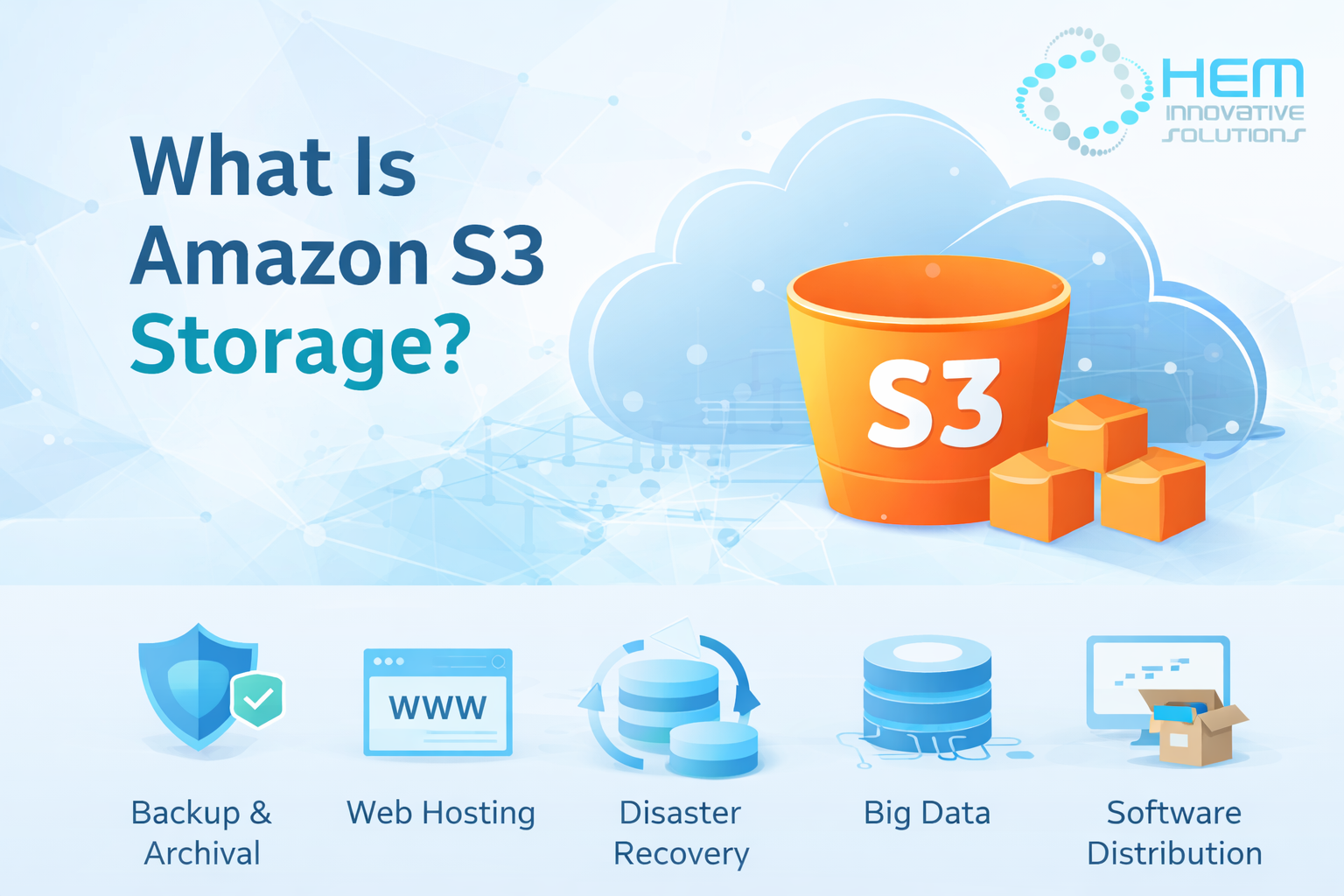
Amazon Simple Storage Service (Amazon S3) is a highly scalable cloud storage service built on object storage technology. It is designed to deliver exceptional durability, availability, and performance for storing and retrieving data from anywhere on the internet. With Amazon S3, users can store unlimited amounts of data and access it through the AWS Management Console, SDKs, or the powerful S3 API. Key Features of Amazon S3 1. Buckets Data in S3 is stored in containers called buckets. Each bucket can hold an unlimited amount of unstructured data such as images, videos, backups, logs, and application files. 2. Elastic Scalability There is virtually no storage limit in S3. Individual objects can be up to 5 TB in size, making it suitable for large-scale storage needs. 3. Flexible Data Organization Each object stored in S3 is identified by a unique key. Metadata can be attached to objects, allowing flexible and customizable data organization. 4. Easy Data Sharing S3 makes it simple to securely share data with users inside or outside your organization via direct download links. 5. Granular Permissions Access control policies can be applied at both bucket and object levels, ensuring only authorized users can access specific data. 6. Powerful APIs Amazon S3 offers REST and SOAP APIs that integrate seamlessly with third-party tools and enterprise systems. 5 Major Use Cases of Amazon S3 1. Backup and Archival S3 is widely used for secure backup and long-term data archiving. Its redundant architecture ensures high durability, protecting critical business data. Versioning allows organizations to retain multiple file versions and restore previous copies when needed. 2. Content Distribution and Web Hosting S3 integrates with Content Delivery Networks (CDNs) to distribute content globally with low latency. It is ideal for: Hosting static websites Delivering media files Managing high-traffic workloads Custom domains and SSL certificates can be configured for secure web hosting. 3. Disaster Recovery With cross-region replication, S3 automatically copies data across multiple AWS regions. In case of system failure or disaster: Data can be restored quickly Downtime is minimized Business continuity is maintained 4. Big Data and Analytics S3 serves as a data lake for structured and unstructured data such as: Log files Sensor data Social media feeds It integrates with tools like: Apache Hadoop Apache Spark Amazon Athena Amazon Redshift This makes large-scale data analysis efficient and cost-effective. 5. Software and Digital Asset Distribution Organizations use S3 to distribute: Software packages Firmware updates Digital media Access control policies and signed URLs ensure secure distribution. How Amazon S3 Works Amazon S3 stores data as objects instead of files or blocks. Each object includes: Data Metadata A unique key Objects are distributed across multiple disks and Availability Zones to ensure high durability. Data Protection Data is automatically replicated Integrity is verified through hash checks Corrupted data is restored using redundant copies Core Components of S3 Buckets Buckets are logical containers for storing objects. Important facts: No official storage limit Maximum object size: 5 TB Bucket names must be globally unique Keys Each object has a unique key that acts like a file path. The combination of: Bucket name Object key Version ID Uniquely identifies an object in S3. AWS Regions and Availability Zones Amazon operates data centers in multiple geographic regions worldwide. Best practice: Store data in the region closest to users to reduce latency and cost. Each region contains at least three Availability Zones, which provide fault tolerance by replicating data across independent data centers. Amazon S3 Storage Classes S3 offers multiple storage classes (tiers) based on access frequency and cost optimization. 1. S3 Standard Best for frequently accessed data. 99.999999999% durability 99.99% availability Data replicated across multiple Availability Zones 2. S3 Standard-Infrequent Access (Standard-IA) Ideal for data accessed less frequently but requiring fast retrieval. Lower storage cost Retrieval fee applies 99.9% availability 3. S3 One Zone-IA Lower-cost option storing data in a single Availability Zone. Best for: Secondary backups Re-creatable data 4. S3 Intelligent-Tiering Automatically moves data between tiers based on usage patterns, optimizing costs without performance impact. 5. S3 Glacier Designed for long-term archival. Minimum storage duration: 90 days Retrieval time: 1–5 minutes (expedited) 6. S3 Glacier Deep Archive Lowest-cost storage for rarely accessed data. Minimum storage duration: 180 days Retrieval time: 12–48 hours Final Thoughts Amazon S3 is one of the most powerful and flexible cloud storage solutions available today. Whether you need backup, disaster recovery, content hosting, analytics storage, or archival solutions, S3 provides unmatched scalability, durability, and security. Its multiple storage tiers allow organizations to optimize costs while maintaining performance and reliability. Also Read: The Advantages Of Using Managed Services For Microsoft Azure
The Advantages Of Using Managed Services For Microsoft Azure

Table of Contents: What Exactly Is a Managed Service Provider (MSP)? A managed services provider either maintains or extends the capabilities of your Microsoft Azure systems and applications. A managed services provider (MSP) gives professional insight to assist you in determining what you need, builds your optimal cloud solution, manages your migration, and then provides ongoing administration and optimization assistance. The Advantages of Using a Microsoft Azure Managed Service Provider A Microsoft Azure MSP will guide you through the process and assist you in designing a cloud computing system that is custom-tailored to your business’s unique requirements. Because an MSP is familiar with Azure and all of its capabilities, you may begin your cloud adventure with an effective and scalable solution. Additionally, your Microsoft Azure MSP will be able to do a business assessment and assist in preparing your system for an Azure transfer or setup. Working with an Azure MSP ensures a smooth transition. When you partner with an Azure MSP, you eliminate the need to hire and maintain in-house Azure professionals. Your MSP likely already has professionals available to assist you in learning about and managing your Azure system. Along with cost savings, this frees up your own IT team to work on other projects and objectives for your business. By partnering with a Microsoft Azure MSP, you can centralize all aspects of your Azure service under a single, easy-to-reach point of contact. You know who to contact if you have a technical issue or a billing question. Your Azure MSP will be intimately familiar with your account, enabling them to address any issues or problems. This intelligent action makes managing your Azure system simpler than before. Microsoft Azure MSPs offer the manpower, experience, and resources essential to monitor your cloud system. Your MSP will be able to monitor the behaviour of your Azure system 24 hours a day, 365 days a year. This ensures that you have constant information about your system’s performance and capacity. Additionally, you may discover helpful information about product availability, CPU consumption, and more. This constant monitoring will also assist you in tracking down any system incidents or abnormalities. This continuous assistance from your Azure MSP enables you to conduct procedures confidently and worry-free. Maintaining a cloud solution consumes a significant amount of time, money, and effort. This may be taxing on your own IT resources, but it is part of a Microsoft Azure MSP’s job description. When you outsource patches, backups, and other normal maintenance activities to an Azure specialist, they become straightforward and painless. Perhaps more essential, your Azure MSP will be capable of resolving any unanticipated issues or emergencies that may occur with your cloud system. When paired with the aforementioned continuous monitoring, rapid reaction times enable your Azure MSP to resolve faults and minimize unplanned system downtime. Microsoft Azure provides several security options for businesses, but you must understand how to utilize them. A proactive security strategy from an Azure MSP will help you make the most of your defences. Azure MSPs are equipped with the appropriate skills, tools, and resources to maximize the value of Azure’s security solutions. Your MSP can implement best practices for your system, boosting your defences and ensuring the security of your data and procedures. One of the most significant advantages of using a Microsoft Azure MSP is the availability of cutting-edge tools, apps, and services. You will be able to learn about and utilize all Microsoft Azure innovations. Even better, your MSP will possess an in-depth understanding of each new service and choice that becomes available. Not all new updates or services will benefit your company. An Azure MSP can assist you in determining which apps are most appropriate for your business. Once you’ve made a choice, your Microsoft Azure MSP will be available to answer questions, integrate new tools and resources, and ensure that your system continues to operate properly with each upgrade. Overall, engaging with a Microsoft Azure managed service provider simplifies the process of developing an optimal cloud solution for your organization. With an in-depth understanding of Azure and all of its features, a Microsoft Azure MSP can assist you in capitalizing on every possible opportunity. You’ll never have to worry about overspending on applications or services you’re not using. Rather than that, your Azure MSP will assist you in designing a system that maximizes your Azure experience.
4 Benefits of Surveillance Systems

Businesses have been subject to surveillance for centuries. However, it has now become easier and more widespread with the introduction of technology-based surveillance systems. These video-based, end-to-end surveillance systems promote general monitoring practices to help business owners stay aware of potential threats, crimes and employee activities in the workplace. These surveillance systems open a brave new world of possibility by allowing multiple people to view and store surveillance footage via cloud managed services. IT service providers now provide efficient security facilities, including surveillance systems to protect businesses and their intellectual property round-the-clock. Here are some benefits of installing surveillance systems at an enterprise. Enhanced Overall Business Operations The installation of a surveillance system is a critical step in protecting your business and ensuring everyone’s peace of mind at work. The assurance of a minimum security threat in the workplace allows your employees to work fearlessly without any external intrusion or theft risk. Moreover, employees feel at ease at work and perform to their full potential knowing any harm caused to them with becoming evidence captured by the security system. Improved Productivity According to the Time Management Statistics by CornerStone Dynamics, most employees spend 80% of their work hours on things with little value and use 20% of their average workday to pay attention to crucial tasks. However, with increased workplace surveillance, they are likely to waste less time. Furthermore, monitoring your employees via the surveillance system can enhance their productivity, leading to increased profits. Additionally, these electronic surveillance systems save the company managers’ time, allowing them to work on other tasks than manually monitoring their employees. Reduction in Workplace Incidents Workplace incidents, including violence and sexual harassment, remain a concurring issue in Canada. For example, Canadian workplaces have a total of 350,000 workplace violence cases every year. In fact, 67% of the employees have been subject to or witnessed workplace violence in the country. Installing surveillance systems can help prevent these incidents, promote respect, and protect your organization from property damaged or vandalism. If not, it will at least be beneficial in providing adequate evidence to law enforcement after a workplace incident. Lowered Insurance Premiums You can now add value to your organization while simultaneously lowering insurance premiums for your commercial property by installing video surveillance systems. These systems efficiently protect your business from false employee accusations, harassment, liability claims, theft, and other crimes. All in all, you have reduced chances of being sued with a security system. As a result, your insurance company will reduce your insurance premiums, helping you save on insurance costs. Are you looking for surveillance solutions with Advanced Threat Protection (ATP) for your company? Connect with us at HEM Innovative Solutions to acquire property-specific custom monitoring packages that help decrease security costs and improve your business’s efficiency. Contact us to learn more today!
How to Choose the Best Managed Cloud Service Provider?

Table of Contents: As more and more IT systems are externalized, it’s important to ensure that you choose the appropriate cloud providers for long-term success. However, the market access is huge, with various suppliers providing even more services. How can you choose the appropriate cloud providers? The solution is a precise selection and procurement procedure properly weighted against your specific requirements. Timing – When should a cloud provider be selected? Understanding your particular company’s requirements is essential before you can successfully choose a competent supplier. It seems relatively simple, but defining your specific criteria and minimal expectations ensures that you compare all suppliers against your checklist before evaluating them rather than comparing one against the other. This is the fastest method for going from long to shortlists. With clarity on technical, service, security, data management and service management needs, you may question your selected group of prospective providers more effectively. Also noteworthy are the particular environments and services provided by your Cloud service provider when migrating apps and workloads to the cloud, the settings you need to do the job, and the assistance you may receive from your cloud service provider to accomplish it. Ideally, it would help to choose your providers after your cloud migration candidates have been identified but simultaneously analyze and prepare those migrating workloads. Certifications & Norms Providers who meet recognized standards and quality frameworks show respect for best practices and standards in the industry. Although criteria do not decide which service provider you select, they may be of great assistance in identifying prospective providers. Eight things to consider when choosing a cloud service provider When selecting a cloud provider, the requirements you have and the evaluation criteria you use will be unique to your organization. However, there are some common areas of focus during any service provider assessment. We have grouped these into eight sections to help you effectively compare suppliers and select a provider that delivers the value and benefits that your organization expects from the cloud. Benefits of a Managed Cloud Service Provider Benefits of a managed cloud service provider Working with an expert cloud consultant at the business level removes the guess from your cloud integration. Experienced cloud providers will help you arrange your cloud infrastructure, and they may also assist you in saving substantial expenses. A managed service provider helps to build realistic plans of digital transformation to successful cloud implementations. Their vast cloud expertise allows them to assist companies with state-of-the-art technology, centralized networking services and apps and a highly scalable IT architecture. Depending on your IT requirements, you may cover various gaps in your everyday operations and cloud integration procedures with a managed service provider. The following are the benefits of working with a managed cloud service provider (MSP): Depending on your IT requirements, you may cover various gaps in your everyday operations and cloud integration procedures with a managed service provider. The following are the benefits of working with a managed cloud service provider (MSP): Looking at these advantages, will your company profit more than the others? You may prioritize your requirements based on which advantages you can benefit most. Do you have questions regarding cloud services managed? Contact us to talk to one of our cloud experts.
Why Do You Need Azure Managed Service Provider

Blog Why Do You Need Azure Managed Service Provider? Table of Contents: What Is a Managed Service Provider? A managed service provider (MSP) is a third-party organization that provides you with a service that you may employ to run, maintain, and troubleshoot systems, tools, or environments. MSPs allow you to outsource IT duties and expertise to compensate for the lack of in-house personnel. You may also employ MSPs if you just don’t want to spend energy or resources on fundamental IT duties. Historically, managed service companies handled basic system administration responsibilities, such as monitoring and troubleshooting. On the other hand, MSPs have grown to provide a broader range of services, such as software delivery, data security, and cloud migration. Managed service providers may assist businesses in scaling, simplifying resource deployments, performing round-the-clock monitoring, and gaining access to cutting-edge technologies regardless of their complexity. Managed service providers are especially advantageous for enterprises transitioning to cloud computing, where workloads are already remotely accessible and manageable. What Is an Azure Managed Service Provider? A managed service provider (MSP) for Azure is someone who can assist you in implementing Azure cloud services. This includes migration, setup, implementation, maintenance, specific data analysis and machine learning services. The most frequently performed jobs by Azure managed service providers are as follows: Why Do You Need a Managed Azure Services Provider? A managed service provider can provide the assistance and support necessary to complete the move smoothly when implementing Azure services. The following list highlights some of the most compelling reasons to seek an MSP. When enterprises shift to Azure, they often adopt the most fundamental services. This is because many organizations are unaware of their resources or use them effectively. An Azure MSP can assist you in customizing your migration, ensuring that apps and data are moved in the most efficient manner possible. For instance, they are assisting you in determining if native databases offer more functionality than hosted databases or assisting you in planning a transfer from AWS to Azure. Azure provides some services and utilities that aid in managing and maintaining compliance in the cloud. However, these solutions demand azure resources and capabilities, which many enterprises lack. Additionally, firms may be unaware of the differences between cloud and on-premises compliance. Managed service providers, especially those specializing in compliance, can assist you in determining which rules govern your data. Additionally, they may assist you in ensuring that compliance is maintained and that needed audits are conducted and recorded. When businesses migrate to cloud computing, they increase the accessibility and availability of their data and services to workers and consumers. This allows enterprises to function on a global scale and in real-time. However, companies often need assistance at all-day hours due to continuous operation. Managing 24/7 IT assistance in-house may be too expensive and impractical for many businesses. Fortunately, MSPs are often capable of providing this service swiftly and economically.